

When we think of army green, it’s easy to picture the iconic muted shade that has become synonymous with strength and durability. This color, which carries deep historical ties to military uniforms, is more than just a simple green—it’s a blend of tones that create a unique visual experience. Army green features warm yellow undertones, giving it an earthy and grounded appearance.
This particular hue is not only practical but also symbolic. Its association with the military reflects resilience and steadfastness, qualities often admired in both people and design. At the same time, its natural undertones evoke feelings of growth, balance, and tranquility, making it a versatile choice for various applications.
Here are some key characteristics of army green:
- a subdued yet rich green tone;
- warm yellow undertones for a grounding effect;
- symbolic representation of strength and endurance;
- earthy and natural aesthetic.
Whether you’re incorporating this color into your wardrobe, home decor, or creative projects, army green offers a timeless appeal that connects us to nature while maintaining a sense of rugged sophistication.
How does army green appear on digital display?
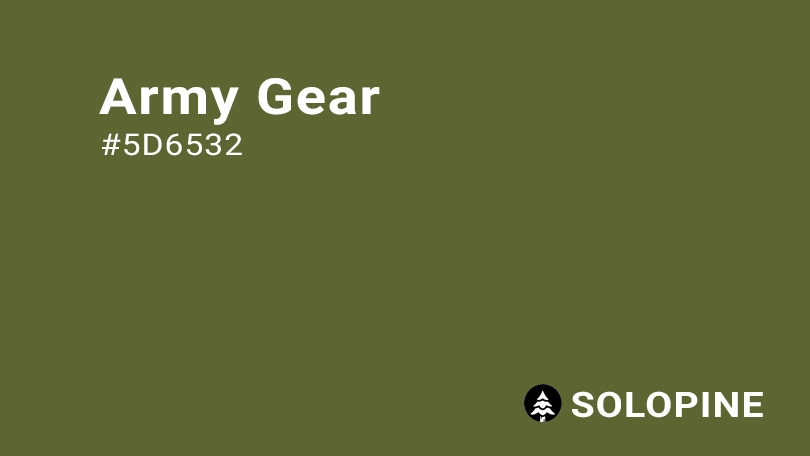
When it comes to replicating army green on digital screens, achieving consistency is key. This earthy and versatile shade, which carries a sense of strength and nature, can be accurately represented using specific color codes. These standardized values ensure that the hue remains true across different platforms and devices, maintaining its muted yet warm appeal.
To help you visualize and implement army green in your digital projects, here are the essential color codes:
- HEX code: #5D6532;
- RGB value: 36.5% red , 39.6% green , and 19.6% blue.
By using these precise values, designers and creators can bring the essence of army green to life on any screen. Whether you’re working on a website, an app interface, or digital art, this shade will add a touch of resilience and natural beauty to your work. Its balance of warmth and subtlety makes it an excellent choice for backgrounds, icons, or typography, ensuring your designs feel both grounded and professional.
Army green in UI design: best practices and considerations
Incorporating army green into your UI design can add depth, meaning, and visual appeal. This versatile color is perfect for creating designs that feel grounded, natural, and professional. Here are some effective strategies to make the most of army green in your projects:
- draw attention: pair army green with light neutral tones such as beige or cream to highlight key elements on a page. This combination works wonders for buttons, icons, calls-to-action (CTAs), and navigation menus, ensuring users focus on what truly matters.
- create a nature-inspired theme: given its earthy undertones, army green is ideal for apps or websites centered around outdoor activities like hiking, gardening, or camping. It evokes a strong connection to nature, making it an excellent choice for eco-friendly or adventure-based platforms.
- convey growth and balance: for wellness, health, or self-care applications, army green symbolizes vitality, renewal, and tranquility. Using this hue can help align your design with themes of growth and balance, resonating with users who seek improved well-being.
It’s important to remember that the perception of color varies across cultures and contexts. If you’re designing for a global audience, take the time to research how colors are interpreted in different regions. By doing so, you can ensure your use of army green enhances user experience without unintended cultural missteps. With thoughtful application, army green can elevate your UI design, adding both aesthetic value and emotional resonance.
Similar colors to army green
If you’re looking to explore colors that share the same earthy charm as army green, there are several shades within this spectrum that can complement or substitute it effectively. These variations offer different moods and tones while retaining the natural, grounded appeal of army green. Here are some options to consider:
- Olive Green (#636B2F): Slightly lighter than army green, olive green carries a warm tone influenced by its yellow undertones. It’s an excellent choice if you want to maintain the cozy, rustic vibe but with a bit more brightness;
- Hunter Green (#2C5F34): On the darker side of the spectrum, hunter green has less yellow influence, giving it a richer and deeper appearance. This shade works well for designs aiming for sophistication and boldness;
- Moss Green (#7E8C54): With a lighter and airier feel, moss green provides a refreshing take on the classic earthy palette. It’s perfect for projects where you want to evoke a sense of lightness without straying too far from the natural aesthetic;
- Green Sage (#98A869): Brighter yet still rooted in earthiness, green sage introduces a subtle pop of color while preserving the calming qualities associated with greens in this range. It’s ideal for adding a touch of vibrancy to your design.
By experimenting with these similar hues, you can create harmonious palettes that enhance the visual impact of your work while staying true to the essence of army green. Whether you’re designing for print, digital media, or personal projects, these shades provide versatile alternatives to suit various styles and purposes.
Colors that complement army green
When it comes to pairing colors with army green, the possibilities are endless. This versatile shade works beautifully with both bold and neutral tones, allowing you to create harmonious combinations that suit a variety of styles. Here are some excellent options to consider:
- Apricot (#FFB27F): Adding apricot to your palette introduces a lively touch while still complementing army green’s muted quality. The warm orange hue creates a perfect balance between energy and subtlety.
- Cream (#FDFBD4): Cream is an ideal match for army green, enhancing its natural and earthy appeal. This soft, light tone provides a gentle contrast that feels cozy and inviting.
- Beige (#EDE8D0): Beige pairs effortlessly with army green, creating a timeless and grounded combination. Together, they evoke a sense of simplicity and sophistication, making them perfect for minimalist designs.
- Maroon (#550000): For a richer, more luxurious look, maroon enhances army green’s warm undertones. This pairing adds depth and elegance, making it suitable for formal or upscale projects.
- Midnight Blue (#272757): A sophisticated choice, midnight blue offers a striking yet balanced contrast to army green. This duo is great for adding a modern twist to your design.
In addition to these suggestions, there are other shades worth exploring:
- Khaki: Ideal for a military-inspired aesthetic, khaki reinforces the rugged and practical nature of army green.
- Dark Green: Opt for a monochromatic approach by incorporating dark green into your palette. This creates a cohesive and deeply textured look.
- Light Pink: If you’re aiming for something softer and more romantic, light pink provides a delightful contrast against army green’s earthiness.
By thoughtfully combining army green with these complementary hues, you can craft visually appealing designs that resonate with different themes and emotions. Whether you’re designing for fashion, interiors, or digital platforms, these pairings will help bring out the best in this classic color.
Colors that conflict with army green
While army green is a versatile and grounding color, certain shades can clash with its earthy and subdued nature. When selecting colors to pair with army green, it’s important to avoid combinations that might create visual tension or disrupt the calming effect this hue provides. Here are some colors that may not harmonize well with army green:
- Hot Pink (#FF13F0): This highly saturated and vibrant shade stands in stark contrast to the muted warmth of army green. Its intense brightness can overwhelm the natural tones of army green, creating an unsettling visual experience.
- Red (#FF2C2C): Although red is a bold and powerful color, pairing it with army green can result in a jarring contrast. Additionally, for individuals with certain types of color vision deficiencies, distinguishing between these two hues may prove challenging, further complicating their compatibility.
- Bright Yellow (#FFED29): While yellow is often associated with energy and optimism, its high intensity can overshadow the subtlety of army green. The combination may lack harmony, making it difficult to achieve a balanced and cohesive look.
- Neon Purple (#8A00C4): Neon purple’s extreme brightness and saturation stand in direct opposition to the soft, grounded qualities of army green. Together, they can appear unbalanced and visually overwhelming.
To ensure your design remains pleasing and effective, it’s best to steer clear of these conflicting colors when working with army green. Instead, focus on complementary shades that enhance its natural beauty and maintain a sense of harmony. By doing so, you’ll create a more visually appealing and user-friendly experience.
What does army green symbolize?
Army green is more than just a color—it carries deep symbolic meaning that resonates across various contexts. This muted yet rich hue draws inspiration from both nature and history, offering a blend of emotional and psychological associations. Here’s what army green symbolizes:
- growth and renewal: as an earthy tone closely tied to the natural world, army green evokes feelings of growth and new beginnings. It reminds us of lush landscapes and the cyclical beauty of life, promoting a sense of vitality and rejuvenation;
- tranquility and balance: the calming qualities of army green make it a perfect choice for creating serene environments. Its grounding nature helps balance emotions, fostering a peaceful atmosphere that encourages relaxation and mental clarity;
- strength and resilience: with its roots in military tradition, army green also symbolizes durability and steadfastness. This association makes it a powerful color for conveying reliability and unwavering determination.
From a psychological perspective, army green has a unique ability to promote calmness and stability. Its connection to nature provides a refreshing sense of energy and invigoration, making it ideal for designs focused on wellness, health, or outdoor activities.
In UI design, army green shines as a key component of natural color palettes. When paired with light neutral shades like beige or cream, it effectively highlights important elements such as buttons, icons, or navigation menus. This contrast ensures users are naturally guided toward essential features without overwhelming them.
By incorporating army green into your projects, you tap into its symbolic power, enhancing the overall message and user experience. Whether you’re designing for digital platforms, branding, or personal aesthetics, this versatile shade offers a meaningful way to connect with audiences through color.
The history of army green
The story of army green is deeply intertwined with military tradition and practicality, reflecting a shift in how armies approached uniform design. During the 19th century, the United States Army began adopting muted earth tones like khaki and olive drab for their uniforms. This move marked a significant departure from the bright, conspicuous colors that had been used previously, as these new shades provided better camouflage on the battlefield while emphasizing functionality and durability.
After World War II, army green emerged as the standard color for U.S. Army uniforms, famously known as the “Greens uniform.” These uniforms became iconic symbols of service and resilience. However, by 2014, the Greens were phased out in favor of the blue Army Service Uniform (ASU), which was designated as the official dress uniform.
In 2018, the U.S. Army announced the reintroduction of an updated version called the Army Green Service Uniform (AGSU). Designed to honor the legacy of World War II soldiers, this uniform will become mandatory for all soldiers by 2027, relegating the blue ASU to optional use during formal ceremonies. This decision underscores the enduring significance of army green in military culture.
This historical journey demonstrates how army green evolved from a purely functional military choice into a culturally significant color that represents durability, tradition, and timeless style.
Color variations
Shades
Tints
Tones
Hues
Color harmonies
Complementary
Split
Monochromatic
Analogous
Triadic
Square
Accessibility: contrast checker
Lorem Ipsum
Lorem ipsum dolor sit amet, consectetur adipiscing elit. Sed sollicitudin nunc sit.
Lorem Ipsum
Lorem ipsum dolor sit amet, consectetur adipiscing elit. Sed sollicitudin nunc sit.
WCAG 2.2 SIMPLE CONTRAST
WCAG 2.2 SIMPLE CONTRAST
Color simulations
Protanopia
Deuteranopia
Tritanopia
Achromatopsia
Color conversion
The hexadecimal color #5D6532, known as amber, has RGB values of R:255, G:191, B:0 and CMYK values of C:0, M:0.25, Y:1, K:0.
| VALUE | CSS | |
|---|---|---|
| HEX | 5D6532 | #5D6532 |
| RGB DECIMAL | 93, 101, 50 | RGB(93,101,50) |
| RGB PERCENTAGE | 36.5, 39.6, 19.6 | RGB(36.5%,39.6%,19.6%) |
| CMYK | 8, 0, 50, 60 | |
| HSL | 69.4°, 33.8, 29.6 | HSL(69.4°,33.8%,29.6%) |
| HSV (OR HSB) | 69.4°, 50.5, 39.6 | |
| WEB SAFE | 666633 | #666633 |
| CIE-LAB | 41, -11.685, 27.653 | |
| XYZ | 9.743, 11.865, 4.794 | |
| xyY | 0.369, 0.449, 11.865 | |
| CIE-LCH | 41, 30.02, 112.907 | |
| CIE-LUV | 41, -2.662, 32 | |
| HUNTER-LAB | 34.445, -9.787, 15.85 | |
| BINARY | 01011101, 01100101, 00110010 | |
| iOS – SwiftUI | Color(red: 0.365, green: 0.396, blue: 0.196 | |
| iOS – UIKit | UIColor(red: 0.365, green: 0.396, blue: 0.196, alpha: 1) | |
| Android – Compose | Color(0xFF5D6532) |