

Orange is a lively and energetic secondary color that sits perfectly between red and yellow on the color wheel. This vibrant hue has an incredible ability to evoke emotions, creating an atmosphere of playfulness and excitement when used thoughtfully in various settings. Its versatility makes it a favorite among designers and artists alike.
To explore the many shades of orange, you can experiment with simple techniques. For instance, adding more yellow will result in lighter, sunnier hues that radiate warmth and joy. On the other hand, incorporating additional red into the mix produces deeper, richer tones that feel bold and intense. Here are some key points about this dynamic color:
- Warmth : Orange is naturally associated with warmth, making it ideal for designs or environments where comfort and enthusiasm are essential;
- Energy : Its high-energy vibe can inspire creativity and action, which is why it’s often used in branding and marketing materials;
- Versatility : From soft pastel oranges to deep terracotta tones, this color offers endless possibilities for personalization.
By understanding how to harness the power of orange, you can bring life and vibrancy to any project while ensuring your message resonates clearly with your audience. Whether you’re designing graphics, decorating spaces, or simply exploring art, orange is a color worth mastering!
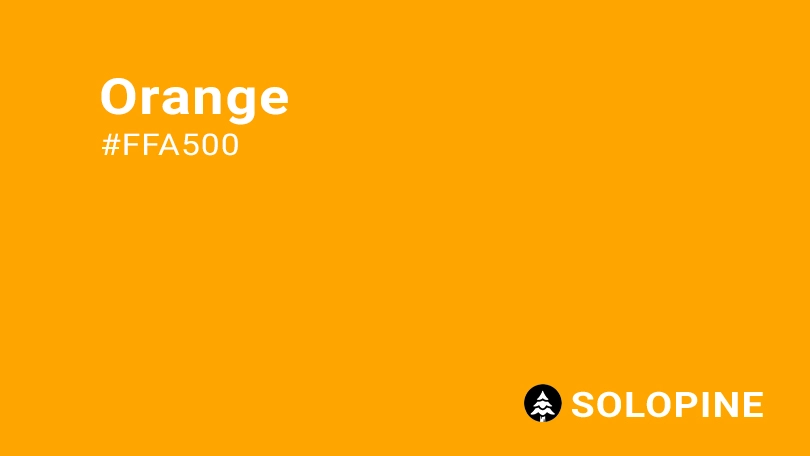
How does orange appear on digital display?
When it comes to representing orange on digital screens, achieving consistency across platforms and devices is crucial. This vibrant color can be precisely defined using specific color codes that ensure its appearance remains uniform no matter where it’s displayed. Here’s how you can define orange in digital design:
- HEX code: #FFA500;
- RGB value: 100% red, 64.7% green, and 0% blue.
Using these standardized codes ensures that your orange hue looks vibrant and true to its intended form, whether viewed on a computer monitor, smartphone screen, or tablet. It’s important to note that slight variations may still occur due to differences in screen calibration and display technology. However, by relying on precise color definitions, you minimize inconsistencies and maintain visual harmony in your designs.
For anyone looking to incorporate orange into their digital projects, understanding these technical aspects will make the process smoother and more effective. Whether you’re designing websites, creating graphics, or developing applications, knowing how to properly define orange digitally is key to delivering visually appealing results.
Orange in UI design: best practices and considerations
When incorporating orange into your user interface (UI) design, it’s essential to leverage its vibrant and energetic qualities strategically. This color can significantly enhance the user experience when used thoughtfully. Below are some practical ways to integrate orange into your designs while keeping best practices in mind:
- Highlight Important Areas : Orange is perfect for drawing attention to key elements. Use it to indicate clickable areas or interactive components like buttons, links, or hover effects. Its bold nature ensures users instantly recognize these elements as actionable;
- Emphasize Calls to Action : To create compelling calls to action (CTAs), pair orange with neutral tones such as white, gray, or black. This contrast makes buttons and text stand out, encouraging users to engage with your interface;
Guide Users with Accents : Incorporate orange as an accent color in icons, illustrations, or typography. These small touches of color can subtly guide users through your design, directing their focus without overwhelming them; - Indicate Progress and Success : Orange is ideal for visual cues that signify progress or completion. For example, use it in progress bars, checkmarks, or notifications to communicate positive updates or task completions.
While orange offers numerous advantages in UI design, it’s crucial to consider cultural and contextual factors. The meaning of colors can vary widely across different regions and communities. What might symbolize energy and positivity in one culture could carry a different connotation elsewhere. Always research your target audience to ensure that orange aligns with their expectations and preferences.
Additionally, remember that trends evolve over time. Stay updated on current design practices and test how orange performs in your specific context. By balancing creativity with functionality, you can harness the power of orange to craft engaging, intuitive, and visually appealing interfaces.
Similar colors to orange
If you’re looking to explore shades that share the vibrant and lively qualities of orange, there are several options within its color family that can bring a similar energy to your designs. These variations offer unique nuances while maintaining the warmth and appeal of orange. Here’s a closer look at some closely related hues:
- Red (#FF2C2C) : This bold and powerful color shares orange’s energetic and stimulating nature. While red is more intense and passionate, it complements orange beautifully, creating a dynamic duo in any design or palette.
- Red-Orange (#FF4B33) : A perfect blend of orange and red, this shade amplifies the fiery intensity of both colors. It’s an excellent choice if you want to convey drama and excitement without straying too far from the essence of orange.
- Yellow-Orange (#FFB800) : By incorporating a touch of yellow, this hue lightens the mood while retaining orange’s cheerful and optimistic qualities. It’s ideal for designs aiming for a bright, playful, and inviting feel.
- Dark Orange (#C76E00) : For a richer and more sophisticated alternative, dark orange brings depth and intensity to the table. While it maintains the warmth of orange, its deeper tone adds a sense of elegance and maturity.
When selecting colors similar to orange, consider the specific emotion or message you wish to convey. Whether you’re seeking boldness, playfulness, or sophistication, these variations provide versatile options to enhance your creative projects. Remember, each shade carries its own personality, so experiment with them to find the perfect match for your needs.
Colors that complement orange
When designing with orange, choosing the right complementary colors can enhance its vibrancy or create a balanced, harmonious look. This versatile hue works beautifully in a variety of palettes, whether you’re aiming for a bold statement or a softer, more subdued aesthetic. Here are some excellent options to pair with orange:
- Navy Blue (#000080) : As a complementary color on the color wheel, navy blue provides a striking contrast to orange. This deep, rich shade adds sophistication and balance, making it an ideal choice for designs that need to feel both dynamic and professional.
- Charcoal (#4A4A4A) : A dark neutral like charcoal is a timeless pairing for orange. Its muted tone allows orange to shine while adding a sense of maturity and versatility to the overall design. This combination works well in modern and minimalist settings.
- Cream (#FDFBD4) : For a softer, more natural approach, cream pairs beautifully with orange. This light, warm tone enhances orange’s inviting and cheerful qualities, creating a palette that feels cozy and approachable.
- Black (#000000) : Black is a classic choice for grounding orange’s vibrant energy. When used thoughtfully, it can add drama and depth, making orange pop even more. This pairing is perfect for designs that aim to make a bold, impactful statement.
Additionally, brighter accents such as teal or purple can elevate orange-based palettes by introducing unexpected pops of color. These combinations lean into orange’s playful and energetic nature, resulting in lively designs that capture attention and evoke excitement.
By experimenting with these complementary colors, you can create a wide range of moods and styles while ensuring orange remains the focal point. Whether you’re designing for branding, web development, or interior decoration, these pairings offer endless creative possibilities.
Colors that conflict with orange
Although orange is a vibrant and eye-catching color, certain combinations can lead to visual clashes that might detract from its appeal. When designing with orange, it’s important to be mindful of colors that could create an overwhelming or discordant effect. Here are some examples of hues that may not harmonize well with orange:
- Neon Green (#2CFF05) : This ultra-bright shade can produce an extreme contrast when paired with orange. While both colors are bold, their combination might feel too intense for most designs, causing discomfort or distraction for the viewer.
- Brown (#895129) : Although brown and orange share warm undertones, pairing them can sometimes result in a flat or dull appearance. Without sufficient contrast, neither color stands out effectively, which can make the design feel uninspired or monotonous.
- Fuchsia (#FE3894) : The pairing of fuchsia and orange creates an intense look that can feel chaotic. Both colors are highly saturated and energetic, but their contrasting personalities might compete rather than complement each other, leading to a visually unsettling experience.
- Emerald Green (#00674F) : This deep green shade forms a strong contrast with orange, but the clash between their opposing energies can be jarring. Emerald green’s cool, natural vibe contrasts sharply with orange’s warm, lively essence, making the combination difficult to balance.
To ensure your design remains cohesive and visually appealing, consider testing different color pairings carefully. While these combinations may not work in every context, understanding why they conflict can help you make informed decisions about how to use—or avoid—them alongside orange. By doing so, you’ll create designs that resonate positively with your audience.
What does orange symbolize?
Orange is more than just a color—it’s a powerful symbol that conveys a wide range of emotions and ideas. Known for its vibrant energy, orange embodies enthusiasm, warmth, and vitality. It’s often associated with positive attributes such as friendship, happiness, and prosperity, making it a favorite in both design and cultural contexts.
- Cultural Significance : Across different cultures, orange carries deep symbolism. In Greek mythology, gods dressed in orange were believed to represent immortality, highlighting the color’s connection to eternal life and strength. In Eastern religions like Hinduism and Buddhism, orange holds sacred meaning. For instance, monks wear saffron-colored robes as a sign of humility, spirituality, and wisdom.
- Psychological Impact : Color psychology suggests that orange stimulates emotions tied to action and optimism. It encourages creativity, self-expression, and playfulness, making it an excellent choice for environments where innovation and positivity are key. Its energetic nature can inspire people to take initiative or embrace new opportunities.
- Practical Applications : In UI design, orange plays a crucial role due to its ability to grab attention. It’s commonly used for call-to-action (CTA) buttons because it stands out against neutral backgrounds, encouraging users to interact. Additionally, orange serves well in conveying warnings or alerts without being overly alarming, striking a balance between urgency and friendliness. Its lively tone also helps emphasize important information, ensuring it doesn’t go unnoticed.
While many brands leverage orange to reflect their identity—think of its use in creating approachable and creative impressions—it’s essential to consider how cultural perceptions might influence its interpretation. Whether you’re designing for digital platforms or exploring artistic projects, understanding what orange represents can enhance your work and connect with audiences on a deeper level.
The history of orange
The origins of the word “orange” trace back to Old Persian, where the term “nārang” referred to the bitter orange fruit. Over time, this word evolved and made its way into English in the 12th century, likely through the French word “orenge.” Interestingly, before the introduction of the word, people described the color as a mix of red and yellow, highlighting how language shapes our perception of hues.
Throughout history, orange has played a significant role in art and culture. Artists such as Vincent van Gogh were particularly drawn to its vibrant intensity, using it extensively in their works to evoke emotions like joy, energy, and warmth. Van Gogh’s paintings often feature bold splashes of orange, showcasing its ability to bring life and dynamism to a canvas.
In the 20th century, orange experienced a resurgence, especially in theatrical settings. It became a popular choice for stage decorations and costume embellishments, thanks to its eye-catching nature. As synthetic dyes made the color more accessible and affordable, orange transitioned from being a luxury shade to one associated with accessibility and cheerfulness. This shift allowed it to permeate everyday life, appearing in fashion, advertising, and even interior design.
Today, orange continues to symbolize creativity, affordability, and positivity—a testament to its enduring legacy across centuries and cultures. By understanding its rich history, we gain deeper insight into why this color remains so compelling and versatile in modern times.
Color variations
Shades
Tints
Tones
Hues
Color harmonies
Complementary
Split
Monochromatic
Analogous
Triadic
Square
Accessibility: contrast checker
Lorem Ipsum
Lorem ipsum dolor sit amet, consectetur adipiscing elit. Sed sollicitudin nunc sit.
Lorem Ipsum
Lorem ipsum dolor sit amet, consectetur adipiscing elit. Sed sollicitudin nunc sit.
WCAG 2.2 SIMPLE CONTRAST
WCAG 2.2 SIMPLE CONTRAST
Color simulations
Protanopia
Deuteranopia
Tritanopia
Achromatopsia
Color conversion
The hexadecimal color #00FFF0, known as amber, has RGB values of R:0, G:255, B:240 and CMYK values of C:1, M:0, Y:0.06, K:0.
| VALUE | CSS | |
|---|---|---|
| HEX | FFA500 | #FFA500 |
| RGB DECIMAL | 225, 165, 0 | RGB(255,165,0) |
| RGB PERCENTAGE | 100, 64.7, 0 | RGB(100%,64.7%,0%) |
| CMYK | 0, 35, 100, 0 | |
| HSL | 38.8°, 100, 500 | HSL(38.8,100%,50%) |
| HSV (OR HSB) | 38.8°, 100, 100 | 38.8°, 100, 100 |
| WEB SAFE | FF9900 | #FF9900 |
| CIE-LAB | 74.935, 23.929, 78.949 | |
| XYZ | 54.697, 48.174, 6.418 | |
| xyY | 0.5, 0.441, 48.174 | |
| CIE-LCH | 74.935, 82.495, 73.138 | |
| CIE-LUV | 74.935, 74.837, 73.998 | |
| HUNTER-LAB | 69.408, 19.203, 43.103 | |
| BINARY | 11111111, 10100101, 00000000 | |
| iOS – SwiftUI | Color(red: 1, green: 0.647, blue: 0) | |
| iOS – UIKit | UIColor(red: 1, green: 0.647, blue: 0, alpha: 1) | |
| Android – Compose | Color(0xFFFFA500) |