

Red, a vibrant and commanding color, occupies a striking position between orange and purple on the traditional color wheel. As one of the three primary colors in the RGB (Red, Green, Blue) spectrum, red holds a unique status—it cannot be formed by blending other hues. Instead, it serves as the foundation for creating an array of shades, from intense, dramatic tones to delicate, muted variations.
Beyond its visual impact, red wields significant psychological influence. Universally tied to emotions like love, urgency, and power, it commands attention in design, marketing, and cultural contexts. Culturally, red carries dual symbolism—celebrated as a harbinger of luck and prosperity in some traditions, while signaling caution or danger in others. This duality makes it a versatile tool in branding, art, and communication.
Whether used to energize a space, convey urgency in a call-to-action button, or evoke timeless elegance, red’s adaptability ensures its enduring relevance. By understanding its shades, symbolism, and technical nuances, creators can harness red’s full potential to leave a lasting impression.
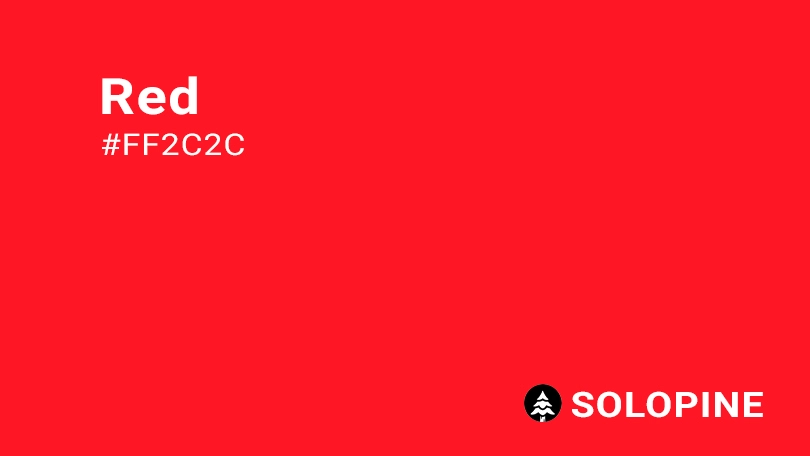
How does red appear on digital display?
When it comes to digital design, ensuring the consistency of red is essential for creating a visually compelling experience across all devices and platforms. This vibrant hue is defined by precise color codes that guarantee its distinctive and powerful appearance, no matter where it is displayed. Designers rely on these specific values to maintain the integrity of red in various digital projects, ensuring that it remains both dynamic and reliable.
To achieve this consistency, red is meticulously standardized with the following technical specifications:
- HEX code: #FF2C2C;
- RGB value: 100% red, 17.3% green, and 17.3% blue.
Red in UI design: best practices and considerations
When it comes to UI design, the color red can be a powerful tool if used strategically. Its bold and eye-catching nature makes it ideal for specific purposes within your designs. Here’s how you can harness its potential while keeping user experience at the forefront:
- Prompt action: red is perfect for creating urgency and prompting users to take action. Whether it’s highlighting warnings, displaying error messages, or designing call-to-action (CTA) buttons, red draws immediate attention. This ensures that users are aware of critical information or encouraged to interact with key elements on your interface.
- Evoke emotional reactions: red has an innate ability to evoke strong emotions such as passion, excitement, and even love. These emotional connections make it a popular choice for features where engagement matters—like “like” buttons or interactive elements designed to resonate emotionally with users.
- Build visual hierarchy: by establishing a clear visual hierarchy, red helps guide users through your design by emphasizing important components. Its striking contrast allows designers to highlight essential elements, making them stand out against other less critical parts of the layout. This improves usability by ensuring users focus on what truly matters first.
It is also important to recognize that for using red in UI design:
- Cultural considerations: be aware that the meaning of red can vary across cultures. While it often signifies danger or importance in Western cultures, in some Eastern cultures, it represents luck or happiness. Research the cultural implications for your target audience to ensure your use of red is appropriate.
- Accessibility: not all users can distinguish red from other colors. To make your design inclusive, pair red elements with additional visual cues such as icons, labels, or contrasting borders.
- Shade and context: different shades of red can evoke different emotions. Bright reds are energetic and attention-grabbing, while darker reds can be more sophisticated and intense. Consider the context and the mood you want to create when choosing a shade of red.
- Combining with other colors: think about how red interacts with other colors in your design. High-contrast combinations can be visually striking, but ensure that the overall color scheme remains balanced and harmonious.
- Sparingly use red: to maintain its impact, use red sparingly. Overusing red can desensitize users to its urgency and make important elements less prominent.
By thoughtfully incorporating red into your UI design, you can create interfaces that are not only visually appealing but also functional and culturally sensitive.
Similar colors to red
When exploring the rich and versatile world of red, it’s worth considering similar shades that can add depth and variety to your designs. These hues not only complement red but also provide alternative options for achieving specific moods or effects. Here are some variations within the red spectrum that you might find useful:
- red-orange (#FF4B33): this vibrant shade combines the energy of red with the warmth of orange, creating a lively and dynamic color. It’s perfect for designs that need a touch of brightness without losing the intensity associated with red;
- Scarlet (#ED2100): A bold and sophisticated hue, scarlet leans more toward red while still incorporating hints of orange. Its striking appearance makes it ideal for grabbing attention and adding a sense of luxury or passion to your projects;
- Pastel Red (#FF746C): For those seeking a softer approach, pastel red offers a muted version of the classic color. This dreamy shade introduces a gentler feel, making it an excellent choice for designs requiring subtlety and elegance;
- Rose Red (#FA003F): With its delicate blend of red and pink, rose red evokes feelings of romance and femininity. This soft yet captivating hue is perfect for creating inviting and warm atmospheres in your work.
By experimenting with these shades, you can expand your design possibilities while staying within the red family. Each variation brings its own unique qualities, allowing you to tailor the mood and message of your project precisely. Whether you’re aiming for boldness, softness, or something in between, there’s a red-inspired color waiting to enhance your vision.
Colors that complement red
When designing with the bold and powerful color red, it’s important to choose complementary colors that enhance its impact while maintaining balance. Here are some excellent options to consider for creating harmonious and visually appealing palettes:
- Aqua (#00FFF0): This refreshing blue-green hue provides a striking contrast to red, resulting in a soothing yet vibrant combination. Aqua softens the intensity of red, making it perfect for designs that aim to evoke calmness while still standing out;
- Light Orange (#FFDBBB): Pairing red with light orange creates a warm and energetic palette. This combination is ideal for projects that need to convey excitement, passion, or creativity, as both colors share a fiery essence;
- Light Rose (#FFC5CB): For designs aiming for romance and intimacy, light rose works beautifully alongside red. This softer pink shade adds a touch of delicacy, balancing the stronger tones of red and creating an inviting atmosphere;
- Cream (#FDFBD4): Cream introduces a gentle warmth when paired with red, offering elegance and sophistication. This pale yellow hue helps tone down the vibrancy of red, making it suitable for more refined and classic design styles;
- Navy Blue (#000080): Combining red with navy blue results in a timeless and polished look. The deep richness of navy complements red’s boldness, creating a sophisticated and traditional aesthetic.
Additionally, neutral shades such as white, gray, black, and various tones of brown can also work exceptionally well with red. These colors help temper its intensity, allowing you to create sleek, modern designs that remain visually balanced. By thoughtfully selecting these pairings, you can ensure your use of red enhances rather than overwhelms your overall design concept.
Colors that conflict with amber
Although red is a versatile and impactful color, there are certain hues that may not pair well with it, potentially creating visual clashes or overwhelming combinations. Here’s a closer look at some colors that might conflict with red and why:
- Green (#008000): While green and red are technically complementary colors on the color wheel, their combination can pose challenges, especially for viewers with color vision deficiencies. Many people with color blindness struggle to distinguish between these two shades, which can lead to confusion or make important design elements harder to interpret.
- Magenta (#FF00FF): Pairing magenta with red can result in a visually overwhelming experience. Both colors are bold and vibrant, and when used together, they compete for attention, making it difficult for individual design elements to stand out clearly. This can detract from the overall clarity and focus of your design.
- Neon Purple (#BC13FE): The intense brightness of neon purple can clash with the strong energy of red, creating a harsh and distracting effect. This combination may feel too aggressive or chaotic, potentially unsettling viewers and disrupting the harmony of your design.
- Yellow (#FFFF00): Yellow, being a highly saturated and bright color, can appear overpowering when placed next to red. Both colors demand attention, and their proximity can create a sense of visual tension, making the design feel cluttered or uncomfortable to look at.
When working with red, it’s essential to carefully consider how other colors interact with it. By avoiding these conflicting combinations, you can ensure that your design remains balanced, visually appealing, and easy on the eyes, while still leveraging the power and vibrancy of red effectively.
What does red symbolize?
Red is a color rich in meaning and symbolism, carrying a wide array of emotions and cultural associations. According to color psychology, red is often linked to powerful feelings such as love, passion, strength, and desire. At the same time, it can evoke more intense or negative emotions like danger and anger, depending on its context and usage. This duality is what makes red such a dynamic and impactful color in both design and everyday life.
- love and passion: red is universally recognized as a symbol of romance and deep emotional connections. It’s commonly associated with matters of the heart, making it a popular choice for Valentine’s Day celebrations and expressions of affection;
- strength and energy: the boldness of red conveys power, energy, and determination. It’s often used to inspire action or create a sense of urgency, which is why it’s frequently seen in warning signs, calls-to-action, and high-impact visuals;
- cultural significance: across different cultures, red holds unique and meaningful interpretations:
- in Chinese and Japanese traditions: red represents prosperity, good fortune, and joy. It plays a significant role in weddings, festivals, and other celebratory occasions;
- in Indian culture: red symbolizes purity, fertility, and marital happiness, making it an essential color in wedding ceremonies and rituals.
- modern interpretations: today, red continues to be a versatile symbol. While it remains closely tied to romance, it also serves as a universal signifier for warnings or alerts, thanks to its ability to grab attention quickly and effectively.
Given the diverse meanings of red across cultures and contexts, it’s crucial to approach its use thoughtfully, especially when designing for a global audience. Understanding the cultural implications of red ensures that your message resonates positively and avoids unintended misinterpretations. By leveraging red strategically, you can harness its emotional depth and visual impact to enhance any project.
The history of red
The color red has a fascinating and extensive history that dates back thousands of years, playing a significant role in human culture and development. Its origins can be traced linguistically to the Proto-Indo-European word “reudh,” which eventually evolved into various forms across languages before becoming “red” in modern English. Interestingly, in many cultures, red was one of the first colors to be named after black and white, highlighting its importance in early human societies:
- prehistoric roots: red’s presence in human history stretches as far back as prehistoric times. Early humans utilized natural resources like red clay to create pigments for cave paintings and body art. This vibrant hue was not only visually striking but also held deep symbolic meaning, often associated with blood, life, and vitality;
- historical significance: throughout history, red has consistently represented power, wealth, and energy. Its bold nature made it a natural choice for conveying strength and authority, whether in art, clothing, or architecture;
- cultural symbolism: in ancient Egypt, red carried dual meanings, symbolizing both life and destruction. It was tied to concepts of rebirth and renewal while simultaneously being linked to chaos and danger. This duality is reflected in how red was used prominently in art, cosmetics, and religious ceremonies, showcasing its versatility and significance in daily life.
Even today, red continues to captivate and influence cultures worldwide. From its humble beginnings as a pigment derived from earthy materials to its enduring status as a symbol of passion, power, and emotion, red remains an integral part of our shared human experience. Understanding its historical roots adds depth to how we perceive and utilize this dynamic color in modern contexts.
Color variations
Shades
Tints
Tones
Hues
Color harmonies
Complementary
Split
Monochromatic
Analogous
Triadic
Square
Accessibility: contrast checker
Lorem Ipsum
Lorem ipsum dolor sit amet, consectetur adipiscing elit. Sed sollicitudin nunc sit.
Lorem Ipsum
Lorem ipsum dolor sit amet, consectetur adipiscing elit. Sed sollicitudin nunc sit.
WCAG 2.2 SIMPLE CONTRAST
WCAG 2.2 SIMPLE CONTRAST
Color simulations
Protanopia
Deuteranopia
Tritanopia
Achromatopsia
Color conversion
The hexadecimal color FF2C2C, known as amber, has RGB values of R:255, G:191, B:0 and CMYK values of C:0, M:0.25, Y:1, K:0.
| VALUE | CSS | |
|---|---|---|
| HEX | FF2C2C | #FF2C2C |
| RGB DECIMAL | 255, 44, 44 | RGB(255,44,44) |
| RGB PERCENTAGE | 100, 17.3, 17.3 | RGB100%,17.3%,17.3%) |
| CMYK | 0, 83, 83, 0 | |
| HSL | 0°, 100, 58.6 | HSL(0,100%,58.6%) |
| HSV (OR HSB) | 0°, 82.7, 100 | |
| WEB SAFE | FF3333 | #FF3333 |
| CIE-LAB | 55.328, 75.189, 53.184 | |
| XYZ | 42.598, 23.249, 4.627 | |
| xyY | 0.604, 0.33, 23.249 | |
| CIE-LCH | 55.328, 92.098, 35.273 | |
| CIE-LUV | 55.328, 160.149, 34.549 | |
| HUNTER-LAB | 48.217, 73.318, 28.062 | |
| BINARY | 11111111, 00101100, 00101100 | |
| iOS – SwiftUI | Color(red: 1, green: 0.173, blue: 0.173) | |
| iOS – UIKit | UIColor(red: 1, green: 0.173, blue: 0.173, alpha: 1) | |
| Android – Compose | Color(0xFFff2c2c) |